



Works by students from the " PJAIT " at the International Puppet Theater and Animated Film Festival “A Puppet Is a Person, Too”


In this era of widespread digitalization, companies are asking less and less whether to use thecloud —instead, they’re asking how to do so effectively. One of the most important elements of this transformation is the SaaS (Software as a Service) model.
Instead of installing software on a local computer or server, all you need to do is open a web browser or mobile app—you have instant access to the tool from anywhere in the world and on any device. Without a doubt, this simple change in how we access tools has revolutionized the entire technology market.
SaaS, or Software as a Service, is a model for distributing and providing software in which applications are hosted by a third-party provider and made available to users via the Internet.
Unlike traditional software, in the SaaS model, the user does not purchase a license for perpetual use of the program but subscribes to access it—usually through monthly or annual payments. All responsibility for the technical infrastructure, updates, security, and system maintenance rests with the service provider, not the customer.
Importantly, the customer pays only for the resources actually used, not for the maximum computing power reserved “as a buffer.” This is a fundamental difference from the licensing model, where a company purchased software once and managed its infrastructure on its own.
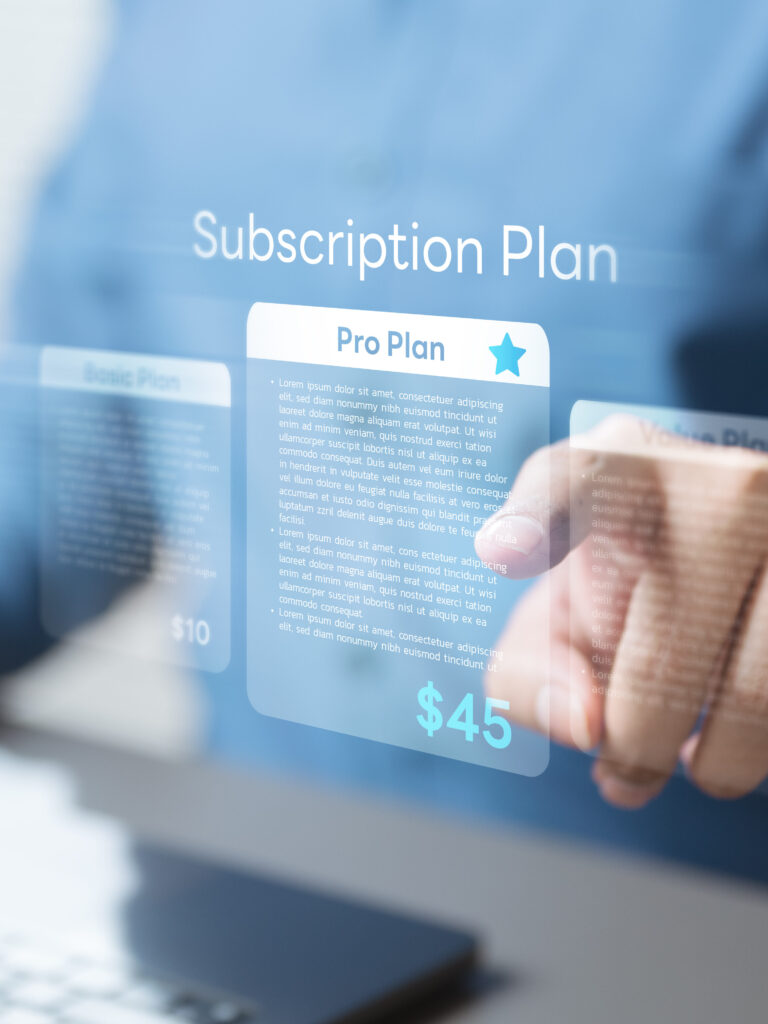
One of the main advantages of the SaaS model is its flexibility in terms of pricing. Providers typically offer three pricing plans, tailored to different needs and organization sizes. The most popular of these is a monthly or annual subscription—a fixed fee that provides access to a specific set of features, valued primarily for its cost predictability and ease of IT budget planning.
An alternative is the freemium model, in which users receive free access to basic features, while more advanced features are available for a fee—this approach effectively encourages users to test the product before making a final purchase decision.
The third option is the pay-as-you-go model, in which fees are calculated in proportion to actual resource usage or the number of operations performed.
Each of these plans addresses different business needs, and the ability to choose among them makes the SaaS model accessible to organizations of very different sizes. A startup with just a few employees can start with a free freemium plan and gradually upgrade as it grows, while a large corporation is more likely to opt for an annual subscription with a clearly defined budget.
Regardless of the option you choose, the flexibility of the billing model allows you to adjust your software expenses on an ongoing basis to meet your company’s current needs and capabilities—without having to commit a large amount of capital up front.
In addition to flexible pricing, the popularity of the SaaS model stems from a whole range of other tangible benefits that both small businesses and large organizations enjoy. First and foremost, implementing a SaaS application requires no investment in costly infrastructure—servers, licenses, and server hardware are all handled by the provider, which drastically lowers the barrier to entry. A new tool can be launched in literally a matter of minutes, without involving internal IT teams or lengthy installation processes. Added to this is the convenience of access from any location and device—all you need is an internet connection to work just as comfortably on a computer, tablet, or smartphone.
Another significant advantage is that the provider assumes full responsibility for software maintenance—it regularly rolls out updates, security patches, and new features, and the user doesn't have to worry about any of it.
It’s also worth noting that the platform grows along with the company: the number of accounts, area available features, and resource capacity can be increased or decreased at any time, without costly contract renegotiations. At the same time, a fixed subscription ensures that software expenses are known in advance and easy to budget for—an advantage that, compared to the unpredictable costs of maintaining your own IT infrastructure, is hard to overstate.
Of course, the SaaS model is not without its drawbacks, and informed information management requires an understanding of the potential risks before deciding to implement it. The primary limitation is complete dependence on a stable internet connection—any interruption in network access means the application cannot be used. A more serious concern for many organizations, however, is control over data: company information is stored on an external provider’s servers, which raises questions about privacy, security, and regulatory compliance, including compliance with the EU’s GDPR.
Added to this is less flexibility in terms of customization—SaaS applications, designed for a broad audience, rarely allow for in-depth adaptation to the specific processes of a particular company, which is not the case with custom software.
It’s also worth considering the financial aspect in the long term. Although the monthly subscription fee seems low, with a constant number of users and years of use, the total of these recurring charges may eventually exceed the one-time cost of purchasing a perpetual license.
Another significant risk is vendor lock-in—if a company decides to base its entire operations on a single SaaS platform, the discontinuation of the service, changes in pricing terms, or technical issues on the vendor’s end could cause serious disruptions, and migrating data and processes to a new system can be costly and time-consuming.
Many of the tools we use every day at work and in our personal lives are actually SaaS applications—and we often don’t even realize it.
Among the most popular examples are communication and team collaboration platforms such as Slack, Zoom, and Microsoft Teams, as well as cloud-based office suites—Google Workspace, which includes Gmail, Docs, and Sheets, and Microsoft 365. Companies also eagerly adopt project management tools like Trello, Asana, and Jira, as well as CRM systems such as Salesforce and HubSpot, which allow them to manage customer relationships without installing anything locally. In the areas of marketing and design, Canva and Mailchimp lead the way, and online stores are increasingly being built on the Shopify platform—which is also available on a subscription basis.
Each of these platforms works the same way: the user opens a browser, logs into their account, and immediately has access to the full range of features—without having to download, install, or configure any software. Files and data are stored in the cloud, which allows users to work from any device and easily share resources within a team. Dropbox and Google Drive, in turn, are examples of SaaS in the area of file storage—solutions so widespread that they have become the default way for many users to manage documents and media.
The SaaS model operates within a broader ecosystem of cloud services, alongside the IaaS (Infrastructure as a Service) andPaaS (Platform as a Service) models. They differ in terms of infrastructure management and the level of technical responsibility on the customer’s part:
| Model | What it offers | Who manages the infrastructure? | area customer responsibility | Examples of Use | Examples of tools |
| IaaS (Infrastructure as a Service) | Hardware resources: servers, networks, storage | User | Systems, Databases, and Applications Management | Advanced data analytics, in-house systems infrastructure | Amazon AWS, Microsoft Azure, Google Cloud |
| PaaS (Platform as a Service) | A development environment for creating and deploying applications | Supplier (partial) | Focus on the code and the application's logic | Development platforms, testing environments | Google App Engine, Heroku |
| SaaS (Software as a Service) | Off-the-shelf software accessible via a web browser | Supplier (all) | Configuration and Data in the Finished Application | CRM systems, office tools, project management | Salesforce, Google Workspace, Slack, Trello, Microsoft 365 |
This distinction has practical implications: the choice of the appropriate model depends on the company’s needs, its technical capabilities, and the degree of control it wishes to exercise over its IT environment.
Understanding the architecture, business logic, and data management in SaaS environments requires a solid foundation in both technical and organizational aspects. The Polish-Japanese Academy of Computer Science (PJAIT) offers two degree programs that provide excellent preparation for a career in the world of SaaS and cloud computing.
field of study Information management atPJAIT combines expertise in IT, business, and data analysis—exactly the skills needed to work effectively with modern SaaS systems.
Students in this program learn to use IT tools that support management, become proficient in using information systems, and develop managerial skills.
Graduates are employed as IT project managers, process engineers, or IT system implementation specialists—including systems that operate on the SaaS model and in the cloud. A master’s degree opens up additional career paths, including positions such as cloud solutions architect or business analyst.
field of study computer sciencePJAIT , on the other hand, is the program with the longest tradition at the university—it has existed since the university’s founding in 1994 and currently has over 5,500 students.
The engineering program combines a solid foundation in mathematics, algorithms, and programming with practical projects carried out in collaboration with leading technology companies.
The program covers databases, computer networks, software engineering, artificial intelligence, and distributed systems—the technologies that underpin every SaaS platform.
Students gain skills in languages such as Java, C#, SQL, and Prolog, and the specializations chosen in later years allow them to focus on specific areas—from data science and AI, through immersive systems, to software engineering and computer networks. This program is designed for those who want not only to use SaaS applications but also to actively participate in their creation and development.
The SaaS model is closely linked to the fields of data management and large-scale data analysis. Modern SaaS applications generate and process vast amounts of data in real time, and analyzing this data enables companies to make more informed business decisions, identify market trends, and personalize their services.
Today, SaaS-based CRM platforms can predict customer behavior, automatically suggest sales actions, and optimize operational processes—all thanks to the processing of large data sets in the cloud.
It’s worth keeping in mind, then, that these two areas overlap, and understanding what Big Data is allows us to fully assess how SaaS platforms create value from data.
Today, the SaaS model is the foundation of the software ecosystem for businesses of all sizes. It replaces traditional licenses and on-premises installations with a convenient, browser-based subscription—one that is flexible, scalable, and always up to date.
Today, it’s hard to imagine a modern company that doesn’t use at least a few applications based on this model. Flexibility, low barriers to entry, and ever-increasing integration with artificial intelligence mean that SaaS will continue to dominate the software market for years to come.
For those planning a career in IT or starting their own business in this industry, familiarity with the SaaS ecosystem andcloud computing is absolutely essential today. Whether you’re interested in building such systems from a technical perspective or managing them and analyzing the data they generate, a solid education in computer science or information management opens the door to the most exciting roles in the job market.
The degree programs computer science andInformation Management offered by our university provide precisely these foundations—combining practical technical knowledge with analytical and design skills that are essential in a world dominated by cloud-based solutions.